
Generate PDFs in n8n Workflows
Generate PDFs directly in your n8n workflows using HTML2PDFAPI. Just 3 steps: add an HTTP Request node, copy a cURL command, and import it. No manual configuration needed.
Why Use HTML2PDFAPI with n8n?
No-Code PDF Generation
Import a cURL command and you're done, no manual configuration required.
Dynamic Templates
Use n8n expressions to inject data from previous nodes directly into your PDF content.
Reliable Rendering
Chromium-based rendering ensures your PDFs look exactly like they do in the browser.
Fast Processing
Optimized for automation workflows with quick response times and high availability.
3-Step Setup
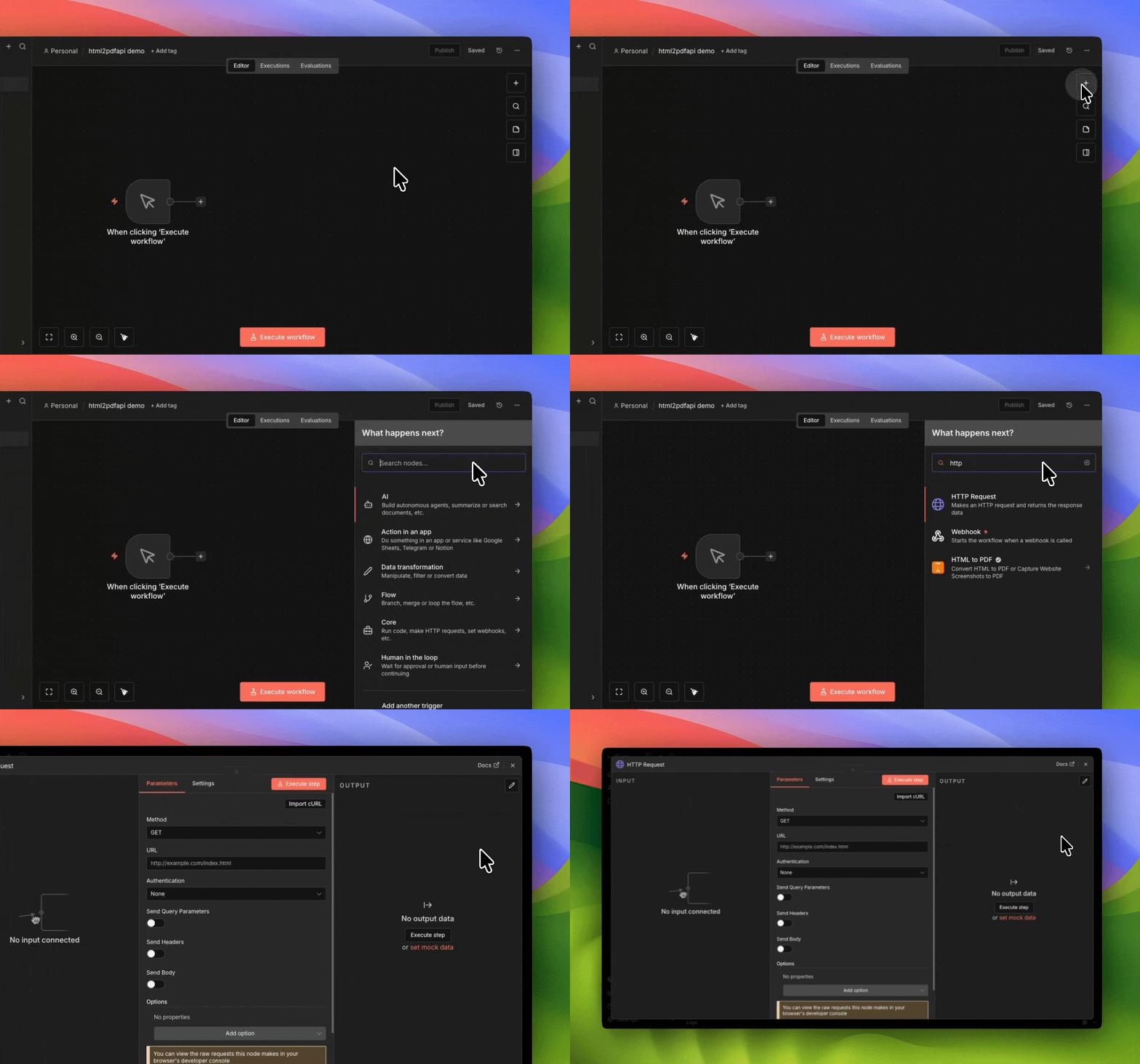
Step 1: Add HTTP Request Node
In your n8n workflow, click the + button and add an HTTP Request node.
Step 2: Get Your cURL Command
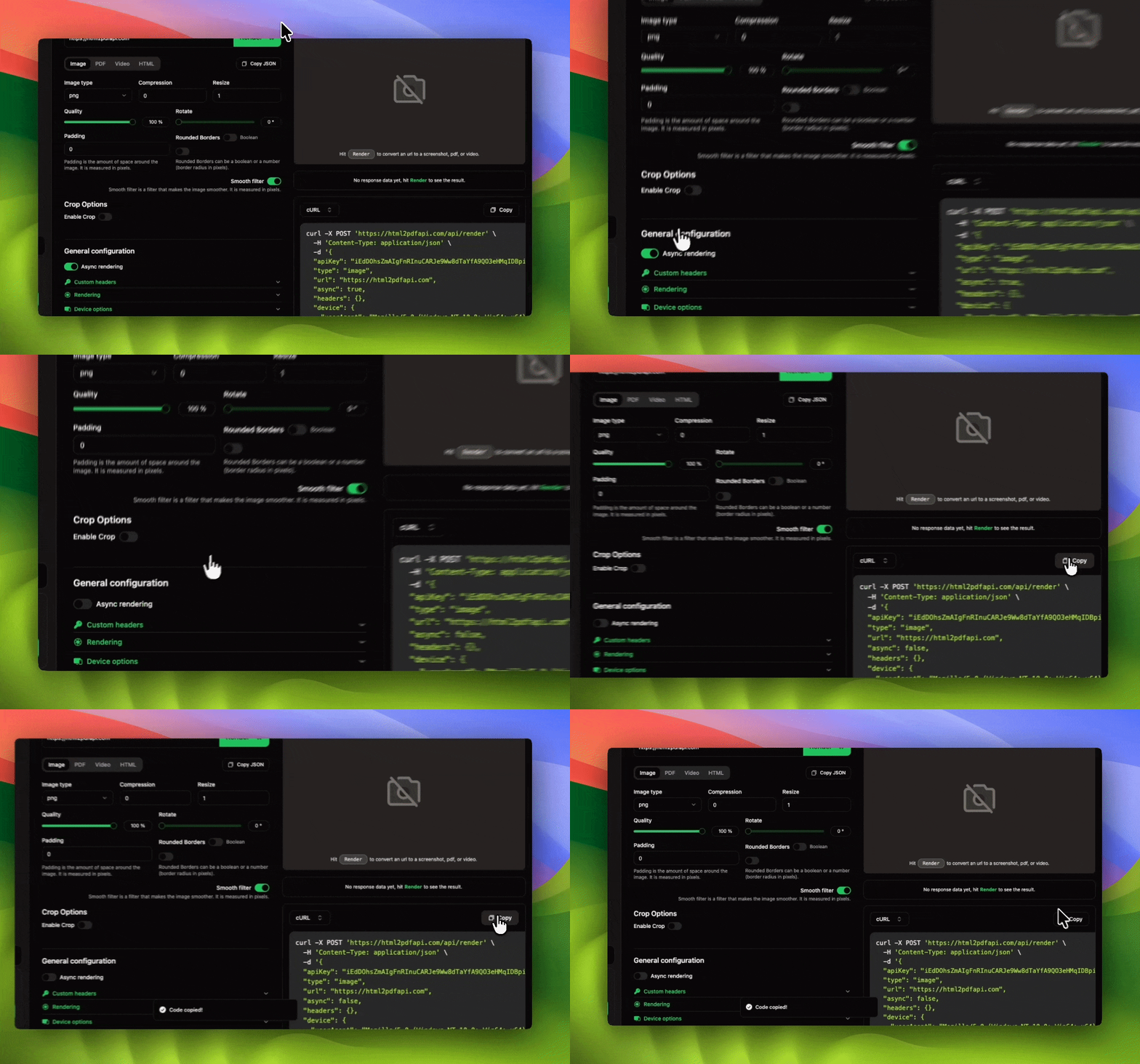
Sign up and use the playground to configure your PDF options and copy the cURL command. Or use this default test command:
curl -X POST https://html2pdfapi.com/api/render \
  -H "Content-Type: application/json" \
  -d '{
    "apiKey": "YOUR_API_KEY",
    "async": false,
    "html": "<html><body><h1>Hello World</h1></body></html>",
    "format": "pdf",
    "pdf": {
      "format": "A4",
      "printBackground": true
    }
  }'
Note: async: false means the request waits for
the PDF before responding. Recommended for n8n.
Step 3: Import cURL and Run
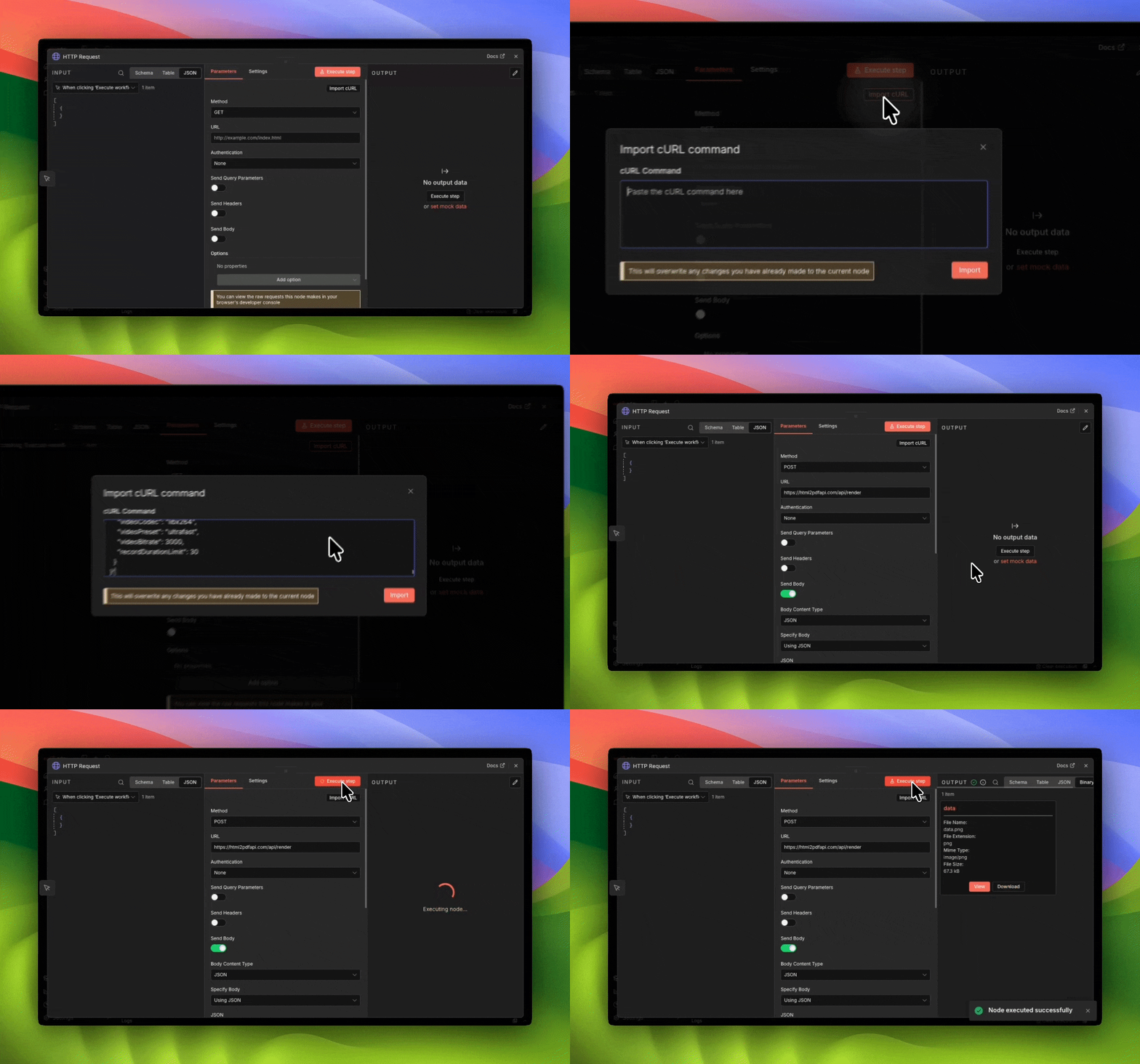
In the HTTP Request node, click "Import cURL" and paste your command. Execute the node to test, then connect any downstream nodes (email, storage, Slack, etc).
Request Body Examples
Dynamic HTML Template
Use n8n expressions to inject data from previous nodes:
{
  "apiKey": "YOUR_API_KEY",
  "async": false,
  "html": "<html><body><h1>Invoice #{{ $json.invoiceNumber }}</h1><p>Amount: {{ $json.amount }}</p></body></html>",
  "format": "pdf",
  "pdf": {
    "format": "A4",
    "margin": { "top": "20mm", "bottom": "20mm" }
  }
}
Convert URL to PDF
Convert any webpage to PDF by passing a URL:
{
  "apiKey": "YOUR_API_KEY",
  "async": false,
  "url": "https://your-app.com/report/{{ $json.reportId }}",
  "format": "pdf",
  "pdf": { "format": "A4", "printBackground": true }
}
Common Workflow Examples
Invoice Automation
Automatically generate and send invoices when orders are placed.
Trigger → Fetch Data → HTML Template → HTTP Request → Send EmailReport Generation
Generate scheduled reports from your database or analytics tools.
Schedule → Query Database → Build HTML → HTTP Request → Upload to DriveCertificate Generation
Create personalized certificates for course completions or events.
Completion Trigger → Fetch User → Certificate Template → HTTP Request → EmailAvailable Options
Use the playground to visually configure your request and copy the cURL command directly.
| Option | Type | Description |
|---|---|---|
| apiKey | string | Your API key for authentication |
| format | string | Output: 'pdf', 'png', 'jpeg', 'webp' |
| html | string | HTML content to convert |
| url | string | URL to convert (alternative to html) |
| async | boolean | false for sync response, true for polling |
| pdf.format | string | Page size: 'A4', 'Letter', etc. |
| pdf.printBackground | boolean | Include background colors/images |
Other Integrations
See Use Cases
Start Generating PDFs in n8n
Get your API key and start automating PDF generation in your n8n workflows today.
